Summarize
Local-first multi-source video summarization (YouTube, social, drives, files) with any OpenAI-compatible LLM, optional vision path, and NotebookLM-style workflows.
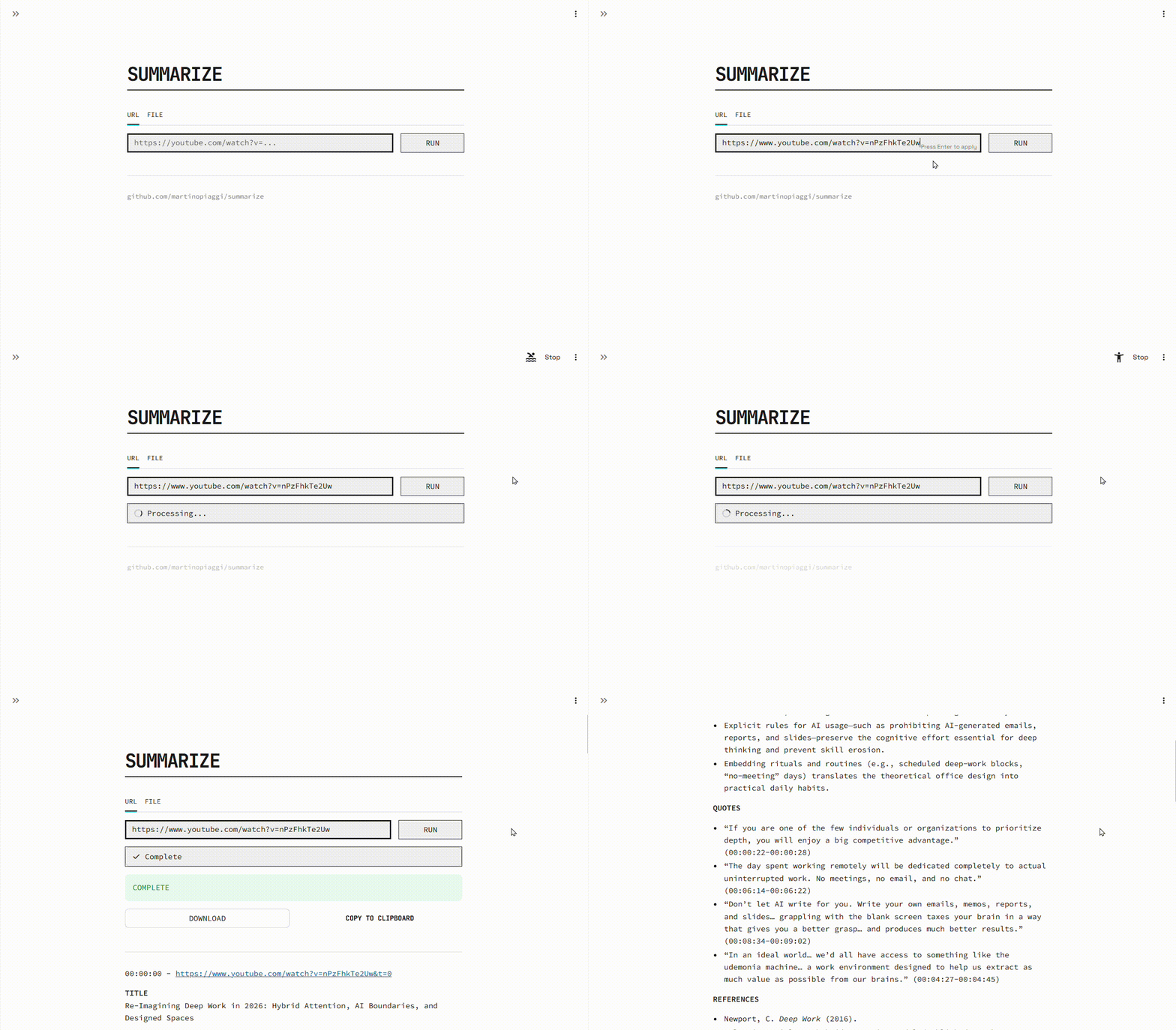
Not steipete/summarize — This is a self-hosted video pipeline with transcript cache, Cobalt fallback, Streamlit workspace, and an agent skill. Steipete’s project is a generic URL clipper.
Bring your own API keys. All configuration lives in summarizer.yaml and .env.
More background on this project: martino.im/Summarize.
YouTube, Instagram, TikTok, Twitter/X, Reddit, Facebook, Google Drive, Dropbox, local files
OpenAI, Groq, Gemini, Ollama, OpenRouter, NVIDIA, Perplexity, LiteLLM, and any OpenAI-compatible endpoint
Audio transcription + text summary, or visual mode sending video directly to vision-capable models
Q&A, distillation, fact-checking, tutorials, Mermaid diagrams, essays, and more. Add your own instantly by editing summarizer/prompts.json.
Streamlit interface with history, Mermaid rendering, themes, and one-click share
Full-stack Compose with optional Cobalt and proxy support
Requirements
- Python 3.7+
- ffmpeg (must be on
PATH) - At least one LLM API key in
.env - Cobalt fallback downloader for URLs that yt-dlp cannot handle (included in Docker Compose). See Cobalt.
Quick Start
Install in an isolated environment (pipx recommended) so other Python tools cannot break summarizer. See Installation for venv, Docker, and development setup.
You need any OpenAI-compatible API key in .env (for example Groq GROQ_API_KEY is free-tier friendly; OPENAI_API_KEY works with --provider openai).
The summary is saved to summaries/watch_YYYYMMDD_HHMMSS.md.
For the HTTP API or all extras:
Quick Start (Docker)
Open http://localhost:8501, paste a URL, and summarize. Summaries and transcript cache persist under ./summaries/.
Or pull the pre-built image:
docker-compose.yml mounts .env, summarizer.yaml, and ./summaries/. Use docker-compose.gui-only.yml for a lighter YouTube-only setup, or docker-compose.named-volume.yml for a Docker-managed volume. Cobalt runs as a sidecar for TikTok, Instagram, and other yt-dlp fallbacks.
Pick Your Interface
See the HTTP API guide for endpoint details, request examples, and CORS configuration.
Two Processing Paths
- Transcript path (default): downloads audio/video, transcribes with Whisper or captions, caches the transcript, then summarizes with an LLM.
- Visual path (
--visual): sends the video directly to a vision-capable model, skipping transcription. Uses the same prompts, provider config, and.envkeys as the transcript path. Supportsbase64chunks (default) andurlpassthrough for YouTube.
See How It Works for the full pipeline diagram and Visual Mode for provider setup.
Common Issues
- pydantic / pydantic-core mismatch on
serve: environment problem, not a summarizer bug — reinstall withpipx install "martino-summarize[server]"or see Errors and Troubleshooting - yt-dlp / platform errors: ensure Cobalt is running (
docker composeincludes it) or setCOBALT_BASE_URL - Missing API key: add the provider key to
.env(seesummarizer.example.yamlfor provider names) - No config file: run
summarizer --init-configor pass--base-urland--modelwith--no-config - Removed
audio-speedkey: usespeedin YAML instead (see Configuration)
Full guide: Errors and Troubleshooting